Asana vs ClickUp vs SaneHQ: Which Is Actually Better for Small Teams?

Productivity7 min read

On this page
Let’s be honest about how this decision usually goes.
You Google “best project management tools,” spend forty minutes reading comparison articles that all say the same thing, open three free trials at once, and somehow end up more confused than when you started. Asana and ClickUp are always on the list. Always described as “powerful” and “flexible.” Always recommended with a confident “it depends.”
But here is what those articles rarely say: for small teams, most of that power is noise.
The real question is not which tool has the longest feature list. It is which tool your team will actually open every morning without dread. That is what this comparison is really about.
Asana: Clean, Structured, and Easy to Adopt
Asana got popular for one simple reason, it does not try to do too much.
When you open it, you see tasks. You see who owns them. You see when they are due. There is no configuration maze standing between you and your first project. For teams that have been running on spreadsheets or group chats, Asana feels like a genuine upgrade with very little friction getting there.
The interface is clean. The learning curve is low. Most people can get a project set up in under an hour without watching a single tutorial. That matters more than it sounds, especially for small teams where nobody has time to become a tool administrator.
Where Asana starts to show its limits is when your needs grow. Customization is relatively locked down compared to competitors. The features that would give you more control tend to live behind the more expensive pricing tiers. And if your team needs docs, chat, or reporting in the same place, Asana will send you reaching for integrations.
Choose Asana if you want a clean, structured system your team can adopt quickly without a dedicated setup process.
It may not be enough if you need deep workflow customization or an all-in-one environment.
ClickUp: Powerful, Flexible, and a Lot to Handle
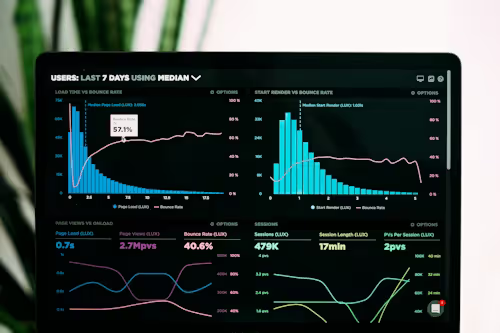
ClickUp’s pitch is essentially: everything you could ever need, in one place.
Tasks, docs, chat, whiteboards, automations, goal tracking, time tracking, multiple views for every preference, it is genuinely impressive. For teams managing complex projects with many moving parts, ClickUp can be a real asset. The customization depth is hard to match, and the pricing is competitive for what you get.
The problem is that all of that power comes with a cost that does not show up on the pricing page.
Setup takes time. Real time. Someone on your team has to learn the system, configure the workflows, and then convince everyone else to follow the structure. And because ClickUp is so flexible, there is no obvious “right way” to use it. Teams often end up with inconsistent setups, half-used features, and a tool that starts to feel more like a maintenance job than a productivity aid.
Small teams especially feel this. When you are moving fast and everyone is wearing multiple hats, the last thing you need is a tool that needs its own project manager.
Choose ClickUp if you are managing complex, multi-layered workflows and have someone willing to own the setup and ongoing maintenance.
It may not be the right fit if your team is small, fast-moving, and needs to hit the ground running without a steep ramp-up.
SaneHQ: Built for Clarity and Speed
SaneHQ was not built to compete on features. It was built to compete on something harder to measure but easier to feel: how work actually flows when the tool stays out of your way.
The philosophy behind SaneHQ is simple. Most small teams do not fail because they lack features. They fail because their tools introduce more friction than they solve. Too many options. Too much setup. Too much time spent managing the system instead of doing the work.
SaneHQ strips all of that back. You open it, you see what needs to happen, you do it. Task flows are clear. Stages are visible. The cognitive load is low enough that adoption actually sticks — not just in week one, but three months in when the novelty has worn off and the real test of any tool begins.
The trade-off is intentional. SaneHQ is not built for enterprise teams running hundred-task dependencies across multiple departments. It is built for the founder juggling product, ops, and people at the same time. For the small team that has already tried the big tools and come back asking for something that just works.
Choose SaneHQ if your team is small, clarity matters more than customization, and you are done paying for features you never open.
It may not be enough if you are running complex enterprise workflows with heavy integrations and custom automations.
The Real Difference: It Is About Philosophy, Not Features

Here is what the comparison tables never quite capture.
Asana, ClickUp, and SaneHQ are not just different tools. They represent three different beliefs about what productivity software should do.
Asana believes structure is what teams need most. Give people clear tasks, clean timelines, and a simple system, and the work will follow.
ClickUp believes flexibility is the answer. Give teams the power to build any workflow they want, and they will find what works for them.
SaneHQ believes the opposite of both. It believes that most teams already know how to work — they just need a tool that does not get in the way of it.
That difference in philosophy shows up everywhere: in on-boarding, in daily use, in what the interface asks of you every time you open it. It is not about which tool has more. It is about which tool asks less.
What Small Teams Actually Struggle With
After watching how small teams interact with project management tools, a pattern emerges almost every time.
The tool starts strong. Everyone is excited. Projects get set up, tasks get assigned, and for a few weeks the system hums along. Then the cracks appear. The setup that made sense in week one does not scale to week six. People stop logging tasks because it takes too many steps. The tool becomes something the team manager updates and nobody else uses. Eventually it becomes another tab nobody opens.
This is not a discipline problem. It is a friction problem. And friction compounds. Every extra click, every unnecessary option, every moment spent configuring instead of doing adds up until the tool quietly stops being used.
The best project management tool for a small team is the one that keeps friction low enough that the system actually survives contact with real work.
So Which One Is Actually Better?
For small teams, the honest answer is SaneHQ but only if simplicity is what you actually need.
If your workflows are genuinely complex, ClickUp earns its place. If you want something structured and familiar, Asana is a solid, proven choice. But if you are a small team that has been burned by tools that promised everything and delivered overwhelm, SaneHQ was built specifically for that frustration.
The feature list is shorter by design. The setup is faster by design. The daily experience is calmer by design.
Because the goal was never to build the most powerful tool. It was to build the one you actually keep using.
The Three-Month Test

Before you commit to any tool, ask yourself one question: how will this feel after three months of real use?
Not in a demo. Not on day one when everything is fresh and everyone is motivated. Three months in, when the initial enthusiasm has faded and the tool has to earn its place on its own merits.
Will it still feel light? Will your team still be logging tasks without being chased? Will you be glad you chose it?
That is the only comparison that really matters. Choose accordingly.

Continue reading

The Hidden Cost of Context Switching (And How to Minimize It)
We did not remove urgency. Urgent things still got handled urgently. We did not make the team less responsive. We made the team more deliberately responsive, which turned out to be more useful than reflexively responsive had ever been.

Why We Killed Our Daily Stand-ups (And What We Did Instead)
The original purpose of a daily standup is legitimate. You want the team to be aligned. You want blockers surfaced quickly. You want people to know what their colleagues are working on so work does not get duplicated or fall through gaps.

The Art of Saying No: How We Shipped 40% Faster
We made our roadmap visible to everyone inside and outside the company. Not just what we were building but why, what outcome each initiative was aimed at, what evidence supported the decision, and what would change our minds. That transparency did something unexpected: it reduced the pressure to say yes to things. When people could see our reasoning, they stopped lobbying as hard. They understood the constraints. Sometimes they even helped us refine the criteria.